Mobile ComputersRugged Android and keypad terminals for issuing, receiving and counting
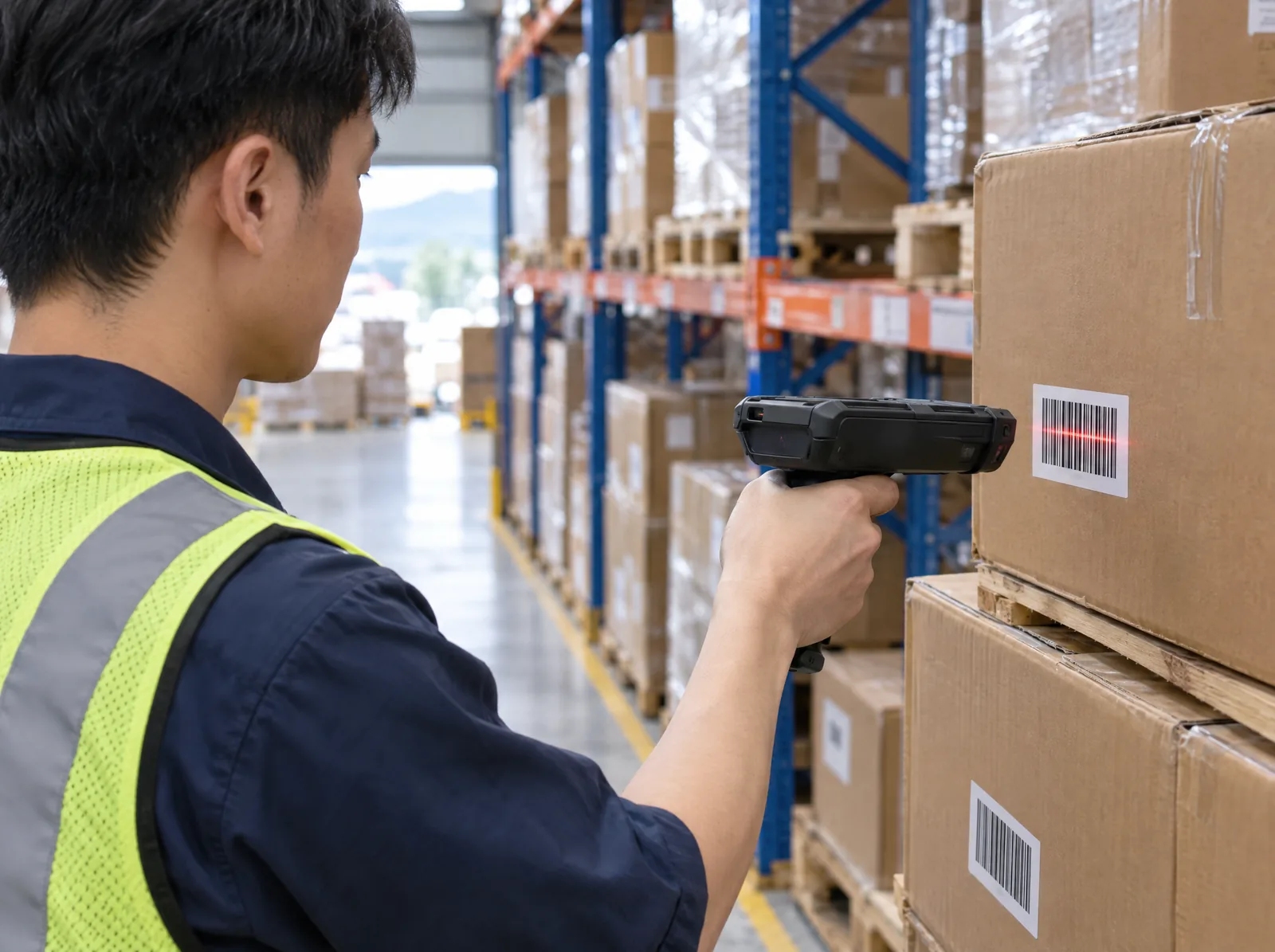
Mobile computers (PDAs, handheld data terminals; keypad models are often called inventory scanners) are rugged handheld computers with built-in barcode scanning, letting staff scan, enter and send data straight from the factory, warehouse or store floor. There are full-featured Android models and keypad-operated proprietary OS models designed for fixed workflows. The Japanese manufacturer has worked in barcode scanning and automatic identification since 1976, with products used in retail, healthcare, logistics, ticketing and postal services.
ESG positioning: G (Governance) + S (Social)How DEYly approaches ESG →
- Proven benefits
- Receiving, shipping, stocktaking and transfers are scanned and recorded on the spot, so inventory data is traceable (G); no more writing things down and re-entering them at a computer (S).
- Limits
- The benefit comes from switching to on-the-spot scanning; before deployment, current stocktaking hours and discrepancy rates serve as the baseline.
Rugged PDARugged PDA vs. smartphone
A phone with a scanning app can read barcodes, but scanning hundreds or thousands a day in factories and warehouses shows the difference. A rugged PDA has a dedicated scan engine and a physical scan key, a dust- and water-resistant, drop-proof housing, and charging and accessories designed for full shifts.
Android vs proprietaryAndroid or proprietary OS terminal?
If you need a touch interface, photos, live network lookups or your own app, choose an Android model; for fixed workflows (stocktaking, receiving) that only need scanning and key entry, choose a proprietary OS model — simple to operate and quick to learn.
| Comparison | Android models | Proprietary OS |
|---|---|---|
| Operation | 5.5" touchscreen | Keys + small screen |
| Software | Install Android apps | Dedicated task apps |
| Connectivity | Wi-Fi, Bluetooth, NFC, GPS | By model: IrDA, Bluetooth, Wi-Fi, USB |
| Best for | Live lookups, photos, varied tasks | Fixed tasks: counts, receiving |
FactoryHow factories and fabs use them
Factories have many parts and fine-grained lots, so paper and manual entry invite errors. Mobile computers let operators scan right at the rack or the machine, with the system checking part numbers and lots and syncing data to ERP, MES or the WMS.
Checking and alert screens depend on the factory's existing ERP, MES or WMS; the integration method needs to be evaluated before deployment.
ModelsTerminal models
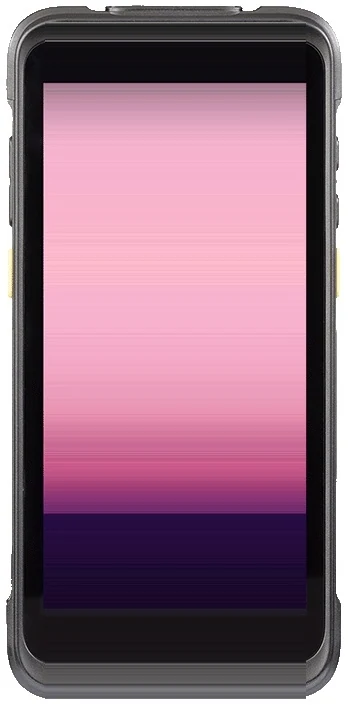
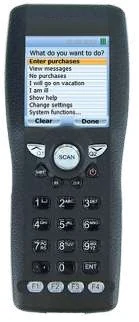
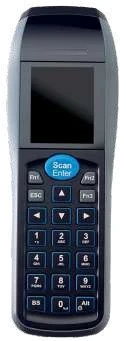
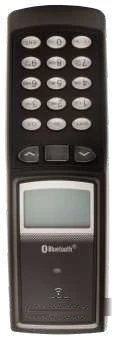
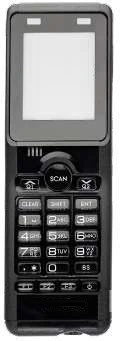
Product photos provided by the manufacturer; actual appearance may vary.
| Model | Key specs |
|---|---|
| H-35limited stock | Android 11, 5.5" Gorilla Glass 3 touchscreen, 2D scanning, 13 MP camera, IP65, 2.4 m drop rating, octa-core 2.0 GHz, 4,420 mAh battery, Wi-Fi 802.11 a/b/g/n/ac/r, Bluetooth 5.1, NFC, GPS, about 287 g |
H-35 accessories include a pistol grip (UHF RFID handle optional), cradle, multi-slot charger, vehicle mount, protective case and wrist strap. The manufacturer is developing the next generation; current supply is from stock.
| Model | Scanning | Keys / screen | Connectivity | Other |
|---|---|---|---|---|
| OPH-1005 | Laser | 23 keys, color 320 × 240 | IrDA | 1.5 m drop rating, IP54, about 140 g |
| OPH-3001 | Laser | 21 keys, 320 × 240 | IrDA, Mini USB | 1.5 m drop rating, IP54, about 156 g |
| OPL-9815 | Laser | 18 keys, 112 × 64 | IrDA, Bluetooth | GPS and real-time clock, IP54, about 115 g |
| OPH-5000i | 2D | 22 keys, 128 × 160 | Wi-Fi, Bluetooth, NFC | MFi, beep and vibrate, IP54, ~120 g |
ApplicationsWhere are mobile computers used?
How to chooseHow to choose a mobile computer
FAQCommon questions
What is a mobile computer?
A mobile computer (handheld data terminal) is a handheld computer with built-in barcode scanning that lets staff scan and enter data directly in the warehouse, store or field and send it back to back-end systems.
Are mobile computers, PDAs and inventory scanners the same thing?
Roughly, yes. Mobile computers, PDAs and handheld data terminals all refer to handheld computers with built-in barcode scanning; "inventory scanner" is a common name that usually means a keypad model dedicated to stocktaking and receiving.
What's the difference between a rugged PDA and a phone with a scanning app?
A rugged PDA has a dedicated scan engine and physical scan key — fast reading without camera focusing — plus a dust- and water-resistant housing (IP65/IP54), drop resistance (2.4 m/1.5 m), and cradles, grips and other accessories for full shifts.
What's the difference between Android and proprietary OS terminals?
Android models have a touchscreen, camera and network features and can run apps; proprietary OS models are operated with physical keys and run dedicated task programs, suited to fixed workflows such as stocktaking and receiving.
Can mobile computers read RFID?
The Android H-35 can take an optional UHF RFID pistol grip to read UHF RFID tags. For RFID management of fixtures, tools and spares, see RFID Asset Tracking.
Can it connect to our WMS, ERP or MES?
Android models connect in real time over Wi-Fi via apps; proprietary OS models upload in batches through the cradle via USB or a communication interface. The actual integration is evaluated per system.
Can factories or semiconductor fabs use mobile computers?
Yes. Common uses are receiving and put-away, error-proof material issue by work order, lot traceability, and warehouse and spares stocktaking. Before entering cleanrooms or other controlled areas, check the site's rules on electronic devices and wireless communication.
How are mobile computers and inventory scanners priced?
Mainly by model (Android or keypad), quantity, accessories (cradles, grips, spare batteries) and integration with existing systems. Tell us about your workflow and number of users and we'll help select and estimate.
How do we deploy mobile computers in Taiwan?
Contact DEYly directly. We'll help with selection and quotation and suggest trialing a few units on one workflow to confirm screens and integration before expanding. Actual supply and lead times are confirmed at quotation; the H-35 is currently limited stock.
Models and specs are compiled from the manufacturer's 2025–2026 catalog; actual supply, minimum order quantities and specs are confirmed at quotation.